
This project is a FANTASTIC way to trial using Minecraft in mathematics. In this blog post I cover my experience using this world.
My world (.mcworld file): download from Google Drive
Some Important information first:
- I am not a rookie at Minecraft Education Edition, and I don’t go into detail about set up of Minecraft – this is really a next step from taking an established Minecraft tool into the mathematics curriculum
- I only have 18 students in the class meaning it is easy quite easy to manage them in one world.
- Minecraft does cost – however there are some alternatives. I share them at the end.
The Lesson:
- Fill in the tally survey to get some data
- log in to Minecraft Education Edition
- Either enter a join code (if you are hosting the world for everyone) or import the world and open it in my worlds.
- Answer the questions of the teachers to get diamonds by looking at the bar chart
- Once answered all questions, build their own bar chart from the tally survey
I have used this as almost a practice lesson for getting students used to using Minecraft in a mathematics lesson, as such, I expect most students to already know how to do bar charts, and use this as a review lesson. The first part is to share out some favourite things tally chart templates, and have the class go round and ask what their favourite such and such is. There are four different surveys meaning there is a little variety and everyone isn’t asked the same question 20 times (just 5 times!)
I open the world and host it, meaning everyone in the class is in the same world. I find this easier to manage as I can see everyone’s work and see if anyone is acting up. Of course, you have the problem of griefing, which is where players destroy each others’ work. This is endemic when using Minecraft and though frustrating, I use it as an opportunity to build on interpersonal skills. However, giving everyone access to this world by importing it into their Minecraft account, means they could easily do this individually.
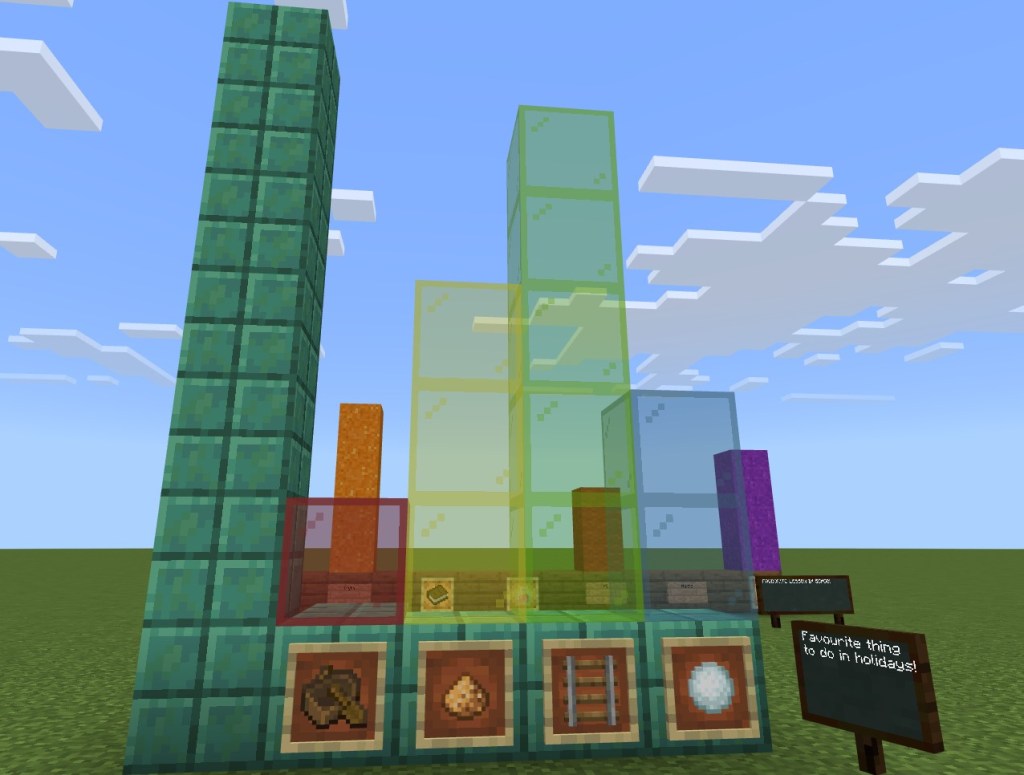
The map has one bar chart already created – it is protected so they can’t change it. It is a simple bar chart about book series. It is up to date as of 2022, but a couple of the series may have expanded since then. You can of course amend it, just make sure you type /wb and press enter when logged in to the world, to give you access to amend any part of the world.
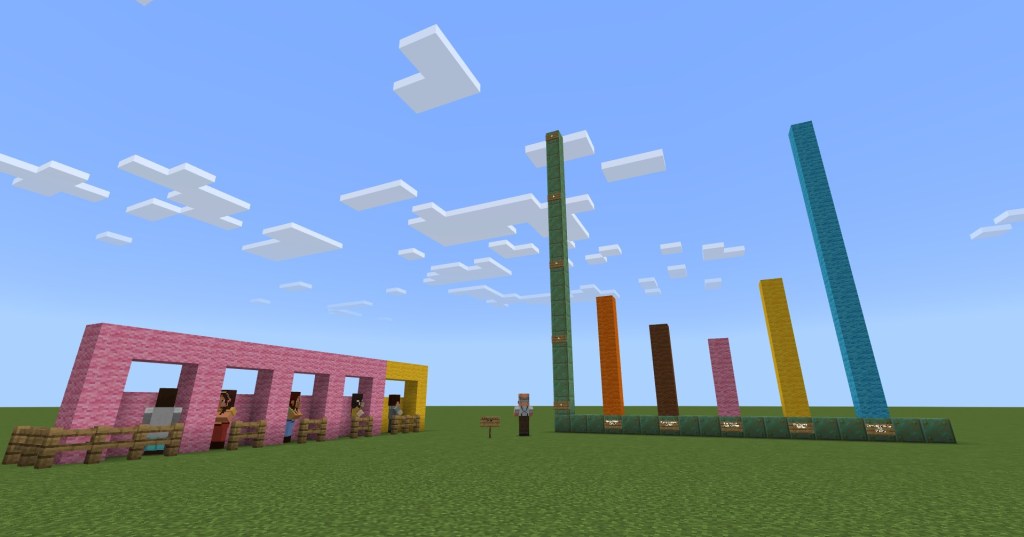
There are some various NPCs (non playable characters) who will ask questions that the class must answer. This gives the player some diamonds when they get them correct.
Students work through the multiple choice questions by speaking to these characters, then going back to the chart to work out the answer. If they get it correct, they get some diamonds, if they get it wrong, they are sent back to the starting position.
Once that is done, I ask them to create a bar chart of their own design around the map based on the results from their tally chart. This doesn’t take long – about 5-10 minutes. I use this opportunity to have them practice their camera skills, something that is only a feature of the education edition, so all students require a little practice with it.
Once most have finished – we have time to share the work by going around and visiting each bar chart and giving feedback. Depending on your class, you could ask them to drop a wool block next to the chart if they liked it or loved it, (green wool for LOVE, yellow wool for like).
I try to leave time for a quick free build – only about 5 minutes – I’ll sometimes give the challenge of a house, or a bed, or a chair or something simple, to let them have that creative experience they are used to in Minecraft. This is particularly important for younger students or when just starting to implement Minecraft, to keep the experience as engaging as possible.
If you like the idea of using Minecraft in the classroom, see my page with lots of ideas and worlds.
If you cannot get a licence for Minecraft – there is a great online tool called cubical.xyz and it is very close to Minecraft, but it doesn’t have the game element to it. In other words it is just for creating models. It is a great alternative for some of the lessons that are about building something. And it is free.
 Maths Beyond the Curriculum