
I often teach enrichment sessions to younger students, an one thing I like to do is to introduce them to ideas that they may learn more about in the future. Introduce. So no assessing or a lot of instruction, but a little dabble into that area of mathematics, so for example I do sequences with 6-9 year olds, Algebra with 8/9 year olds, Probability with 7-10 year olds etc. Even the older ones I’ll cover introductions to calculus, game theory and proof, just to highlight the breadth and depth of the subject and whet their appetite.
This world was borne from that idea. An introduction to algebra.
The world (.mcworld file) Download from Google Drive
Quick Guide:
- Have students log in to Minecraft Education Edition
- Option one (for groups <12). Create and Host the world above by importing it into Minecraft. Share the code with students. They will work their way through independently until the last part, where they can form teams (see below) for the final build
- Option two (for larger groups). Choose some trusted team leaders to import the file into their Minecraft world and host the game. Each team of 4-5 students should join their leaders game. They work their way through the world and solve the problems until they work together in the free build at the end.
- Depending on the options, the final builds can be shared on a main projector by each team, or by joining the world and looking at the builds one by one. Each build should have the same constraints, but will look different – hopefully!
The Lesson:
In this contained world, students navigate through the rooms by answering questions and solving riddles. There is a little bit of redstone at play here, and some command blocks, so it is best not to overload the world with players.
In the first section, They have to identify the mathematician responsible for the word ‘algebra’. When they do, they will be given a button to open an iron door. The button disappears when they enter the next room, stopping the next player from stealing the button. I have had instances of some players sneaking though when another opens the door, which is quite impressive really, if a little naughty.
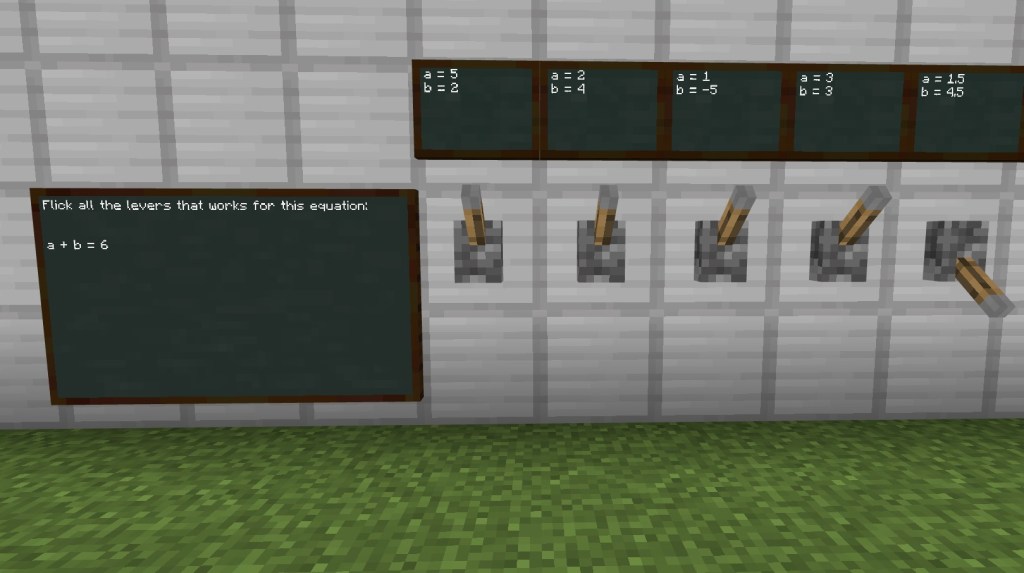
From there, there are various questions, either by talking to teacher NPCs or clicking on blocks. To keep it varied there is a room with a special lever combination lock. Unfortunately though the levers don’t reset, so once one person solves it, the door stays open. If I am in the world with the students, I change the levers back to the starting position before the next player arrives.
The algebra questions are pretty basic, except the last two, which involve two step equations. I found that I needed to help some of them through this step, especially as the cost of getting it wrong is to be sent back to the start!

Funnily enough, one of the hardest parts of the world is the ‘parkour’ challenge, basically it involves some jumping. I found that some students just could not manage to do some very basic jumps to get to the penultimate stage! This might be a problem if they are in their own world – but there is a solution – if the team leader can at least get through, they can teleport players by typing “/tp @a @s” which basically says “teleport, everyone, to me”. They may also need to type /wb first, to allow them to use the cheat.
The last challenge is almost a free build. There are four constraints, but the constraints are hidden in variables. They need to solve to calculate the values. For quickness here are the expectations:
The length and width is 10 block. The height including roof is 12 blocks. There should be 2 rooms and 25 flowers in the design.
This has worked pretty well for me, I’ve only had the issue of some students struggling to negotiate the water trap, and as mentioned, it is a shame the levers don’t reset – though I might have an idea to fix that in the future.
 Maths Beyond the Curriculum